Skip to content
A market order buys or sells a stock immediately at the best price available right now. A limit order sets a price ceiling (buying) or floor (selling) and only fills at that price or better. Here’s the practical rule: use a market order when speed matters more than price on a liquid, large-cap stock, and use a limit order when the exact price matters more than getting filled instantly, especially on volatile or thinly traded names.
A few quick guardrails before you place either one:
- Market orders trade speed for price certainty. FINRA notes execution is nearly guaranteed during regular hours, but the fill price isn’t.
- Limit orders trade certainty for control. You lock in a price but risk never getting filled.
- Check liquidity first. A stock with a tight spread and heavy volume behaves very differently than one that trades a few thousand shares a day.
Resources like Investopedia and Investor are worth bookmarking as you get comfortable with order types explained in more technical detail.
Key Takeaways
Market orders trade price certainty for speed, while limit orders trade speed for price control, and the right choice depends on liquidity, volatility, and how much the exact price matters to you.
| Point | Details |
|---|---|
| Match order type to goal | Use market orders on liquid stocks when speed matters more than price precision. |
| Expect trade-offs, not guarantees | Market orders risk slippage; limit orders risk never filling at all. |
| Watch liquidity and timing | Avoid market orders on thin stocks, during news, or outside regular trading hours. |
| Use time-in-force deliberately | Day orders suit beginners; GTC orders need active monitoring so they don’t fill unexpectedly. |
| Test execution before scaling | Cubomarkets offers a demo account to compare market and limit fills with tight spreads before trading live. |
This article is general information, not a substitute for advice from a qualified financial advisor. Consult a qualified financial professional about your own circumstances before acting on anything here.
Table of Contents
- What Is a Market Order and How Does It Execute?
- What Is a Limit Order and When Does It Fill?
- Why Do Slippage and Partial Fills Happen?
- What Do Day, GTC, and IOC Orders Mean?
- How Do Stop and Stop-Limit Orders Differ?
- How Do You Actually Place These Orders in Practice?
- How Does Your Broker’s Execution Quality Affect Your Fills?
- Sources
What Is a Market Order and How Does It Execute?
A market order tells your broker to buy or sell immediately at whatever price the market currently offers. There’s no price you set. It just goes.
Brokers route these orders to match against the best available price in the order book at that instant. During regular trading hours on a liquid stock, that fill happens in a fraction of a second. FINRA confirms that market orders generally execute at or near the current bid or ask, but the exact price is never guaranteed.
Pros:
- Near-certain execution on liquid stocks during market hours
- Simple to place, no price guessing required
- Ideal for blue-chip names with tight spreads
Cons:
- No control over the final price
- Slippage risk grows fast in volatile or thin markets
- Very large orders can get partially filled at multiple price points
Say you place a market order to buy shares of a stock quoted around $50. In a calm market, you might get filled very close to that price. During a volatile morning, that same order could fill at $50.05 or split across two prices if the order book doesn’t have enough shares sitting right at the quote.
Pro Tip: Avoid market orders in the first and last few minutes of the trading session, and skip them entirely on thinly traded stocks. That’s when spreads widen and slippage bites hardest.
What Is a Limit Order and When Does It Fill?
A limit order sets your price. A buy limit is the maximum you’ll pay; a sell limit is the minimum you’ll accept. The order only executes at that price or better, per FINRA’s order type definitions, which means you might wait a while, or never get filled at all.
Pros:
- Full control over your entry or exit price
- Protects you from paying more (or selling for less) than you intended
- Especially useful during choppy, high-volatility sessions
Cons:
- No guarantee it executes, even if the price gets close
- You can miss a fast-moving opportunity entirely
- Partial fills are common when available volume at your price is thin
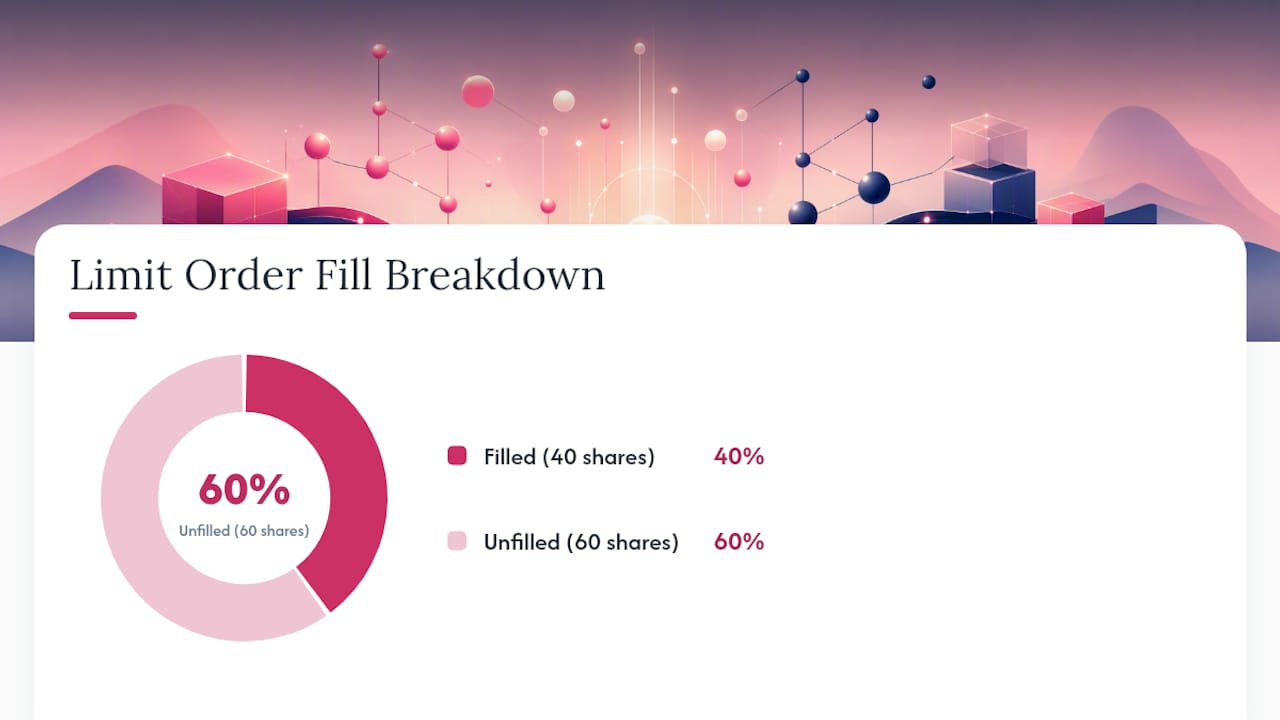
Picture setting a buy limit at $49.50 for 100 shares while the stock trades around $49.80. If the price dips to $49.50 but only 40 shares are available at that level before it bounces back up, you get 40 shares filled and the remaining 60 stay open, waiting.
Pro Tip: Set limit prices close to the current market, not wishfully far from it. A too-aggressive limit rarely fills, and breaking a large order into smaller pieces reduces your partial-fill risk.
Why Do Slippage and Partial Fills Happen?
Slippage is the gap between the price you expected and the price you actually got. Partial fills happen when your order size exceeds what’s sitting at your price in the order book. Both stem from the same root causes: thin order book depth, oversized orders relative to available volume, or a sudden spike in volatility, according to Investopedia’s breakdown of order execution.
Price gaps make this worse. If a stock closes at $80 and opens the next morning at $75 on bad earnings news, a market order placed before the open fills near $75, not $80. A limit order set at $79 simply won’t fill until the price climbs back to it, if it ever does. Trading halts freeze both order types until trading resumes, then the same gap risk applies the moment the halt lifts.
- Use limit orders on stocks with wide spreads or low daily volume
- Break large orders into smaller chunks
- Skip market orders during major news releases
- Check the bid-ask spread and volume before you click submit
After-hours and pre-market sessions carry thin liquidity. A market order placed outside regular hours often executes at the next open, sometimes at a price far from what you last saw quoted.
What Do Day, GTC, and IOC Orders Mean?
Time-in-force settings decide how long your order stays alive and how strict it is about filling. A Day order expires if unfilled by market close. Good ’til Canceled (GTC) stays open across multiple sessions until filled or manually canceled. Immediate-or-Cancel (IOC) fills whatever it can right away and cancels the rest. Fill-or-Kill (FOK) demands the entire order fill instantly or it’s canceled outright, per FINRA.
- Day: expires at close, lowest commitment
- GTC: stays active for days or weeks
- IOC: partial fill allowed, remainder canceled
- FOK: all or nothing, immediately
Pro Tip: Stick with Day orders while you’re learning. GTC orders can sit forgotten for weeks and execute at a price you no longer want.
How Do Stop and Stop-Limit Orders Differ?
A stop order (or stop-loss) sits dormant until a trigger price is hit, then converts into a market order. It guarantees execution but not price, as Investor.gov explains. A stop-limit order converts into a limit order once triggered, guaranteeing price but not execution.
- Sell stop at $25: triggers a market sale the instant the price hits $25, wherever it lands next
- Sell stop-limit at $25 stop, $24.50 limit: triggers a limit order that only sells between $24.50 and up
Use a plain stop when you need out no matter what. Use a stop-limit when you’d rather hold than sell below a price floor.
How Do You Actually Place These Orders in Practice?
- Buying a large-cap stock with a market order: During regular hours, expect a fill within seconds, usually close to the quoted price.
- Buying a small-cap stock with a limit order: Set your price below the current ask and expect to wait minutes, hours, or longer. It may never fill if the stock doesn’t dip.
- Using IOC when partial fills are acceptable: You need shares now but can live with less than the full amount. The unfilled portion cancels instantly rather than lingering.
Before you submit any order, run this checklist:
- Check the bid-ask spread
- Check average daily volume
- Note the time of day
- Match your order size to available liquidity
How Does Your Broker’s Execution Quality Affect Your Fills?
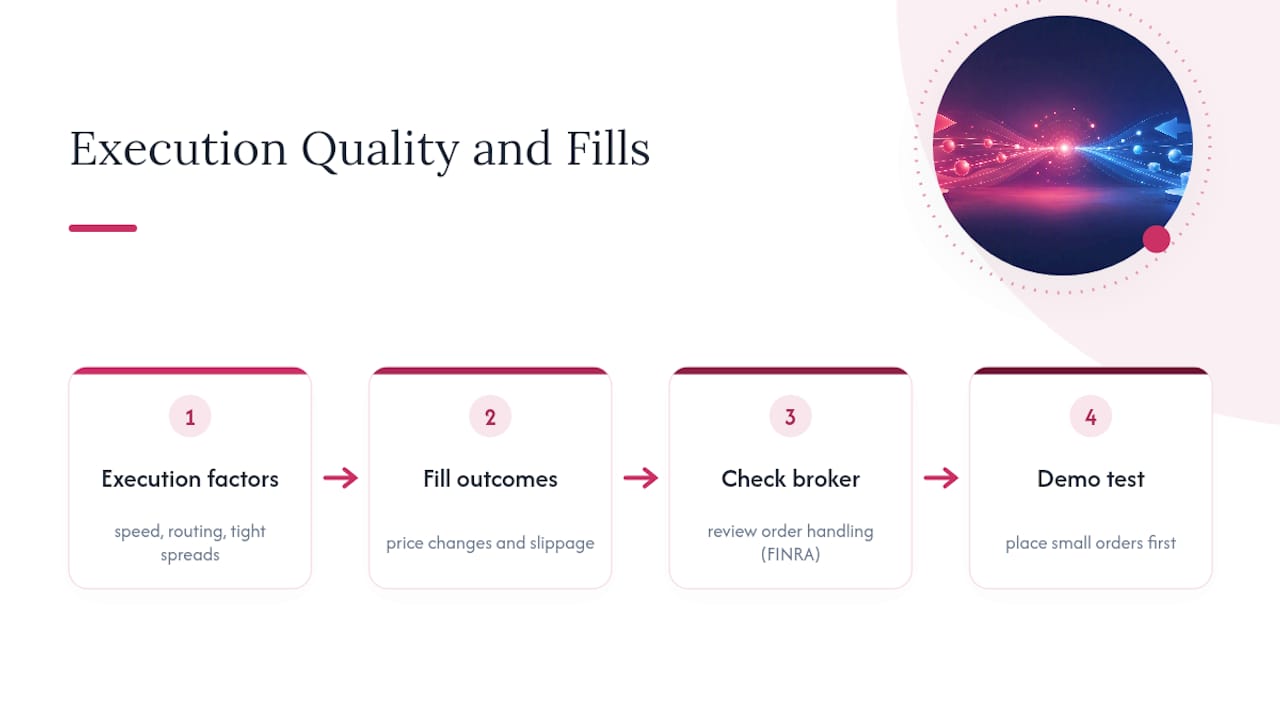
Execution speed and order routing matter as much as the order type itself. FINRA advises investors check their broker’s order handling practices, since routing differences directly affect fill price and slippage.
Fast, transparent execution and tight spreads reduce the gap between the price you see and the price you get. Cubomarkets built its platform around that principle, with execution speed and spreads designed to minimize the daylight between quote and fill across forex, indices, and stocks.
Pro Tip: Before scaling up your order sizes, test execution quality on a demo account first. Watching how your broker fills small orders tells you a lot about how it’ll handle bigger ones.
My Rule of Thumb After Years of Watching Order Books
I use market orders for liquid, large-cap buys where a few cents don’t matter, and limit orders for anything where entry or exit price is the whole point of the trade. The louder the volatility, the more I lean on limits, and the bigger my order size, the more I break it into pieces.
Test the Difference Yourself on a Demo Account
There’s no substitute for watching a market order and a limit order behave differently on a real order book. Cubomarkets gives you a demo environment to place both, watch how fills land, and see execution speed firsthand before risking real capital.

Cubomarkets runs on spreads starting at 0.0 pips with zero commission, across forex, indices, commodities, stocks, and crypto CFDs, through MetaTrader 5 or WebTrader. That combination matters most when you’re comparing a market fill against a limit fill: tighter spreads mean less daylight between the two. Open a demo or live trading account and place a few practice orders of each type to see how execution speed and pricing hold up under real conditions. This is educational content, not investment advice, and trading CFDs carries risk of loss.