Skip to content
An economic calendar gives traders real-time event data, Actual versus Forecast versus Previous, plus impact ratings and alerts, so you can plan trades and manage risk around scheduled releases. The three features you’ll use constantly are live actuals the moment they print, an impact filter that cuts through noise, and alerts synced to your local timezone. The rest of this guide covers exactly how to configure those tools and trade off them.
TL;DR:
- Filtering calendar events by only the most relevant currency pairs and high-impact tiers reduces noise and improves reaction accuracy.
- Synchronizing your calendar’s timezone with your trading platform prevents missed opportunities around scheduled releases like Nonfarm Payrolls.
- Prioritizing Tier 1 events such as Nonfarm Payrolls, CPI, and central bank decisions ensures focus on high-volatility releases that can trigger sustained market moves.
- Using pre-configured alerts and risk management rules, including position size reduction and wider stops, helps manage slippage during major news releases.
- Testing setups on demo accounts before live trading minimizes errors and confirms that your strategies hold up under real volatility conditions.
Table of Contents
- What an Economic Calendar Shows You (and Why Each Column Matters)
- Setting Up Filters That Cut the Noise
- Which Events Actually Move Markets: Tier 1 vs. Tier 2
- Trading the Calendar: Setups and the Risk Rules That Keep You Solvent
- Your Pre-Event Checklist and Day-of Workflow
- How Execution Quality Changes the Way You Trade News
- What Most Trading Guides Get Wrong About the Calendar
- Trade the News With a Platform Built for It
- Sources
What an Economic Calendar Shows You (and Why Each Column Matters)
Every listing on a calendar carries the same skeleton: a release time, a country or currency tag, an impact rating, and three numbers labeled Previous, Forecast, and Actual. Read them in the wrong order and you’ll misjudge a trade before the candle even closes.
Time and timezone sync matter more than traders assume. A calendar showing Eastern time when your platform runs on server time creates a five or six hour drift that can put you flat-footed fifteen minutes before Nonfarm Payrolls instead of trading it. Country and currency tags tell you which pairs and indices actually move. A UK inflation print moves GBP crosses and the FTSE, not the Australian dollar.
The impact rating (usually a star scale or color bar) ranks expected volatility, but treat it as a heuristic, not gospel. Investing notes that even moderate rated events can spike hard when they land alongside other releases or unexpected geopolitical news.
The real trigger is the gap between Forecast and Actual, since that’s the surprise the market has to reprice.
- Time and timezone: sets when you need to be watching, not just what day.
- Country/currency: tells you which pairs, indices, or commodities react.
- Impact rating: a volatility estimate, not a guarantee.
- Previous, Forecast, Actual: the raw material for calculating the expectations gap.
Setting Up Filters That Cut the Noise
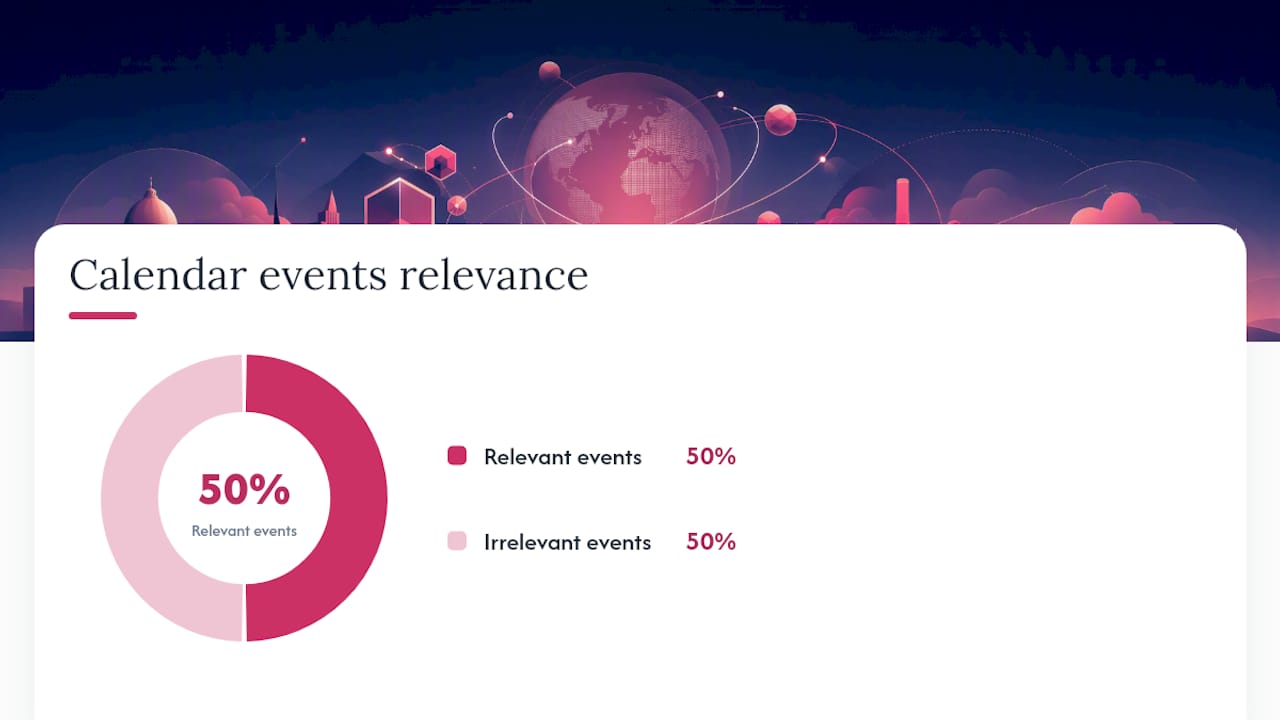
Most traders open a calendar and get buried in forty events a day, half of them irrelevant to anything they trade. Fixing that takes about five minutes.
- Filter by currency or asset first. If you trade EUR/USD and gold, strip out every other pair. FXStreet and similar platforms recommend filtering aggressively down to only what you actually hold, since a cleaner feed means fewer distractions and fewer accidental trades on irrelevant news.
- Narrow by country next. Even within a currency you trade, a country-level filter separates Eurozone releases from, say, Swiss data that only moves EUR/CHF.
- Set a minimum impact threshold. Hiding one and two-star events removes most of the clutter without hiding anything that could actually move your positions.
- Save the filter as a preset. Reconfiguring the same filter every morning is wasted time. Most calendar tools let you save a template so it loads pre-set when you log in.
- Match the display timezone to your trading platform, not your home timezone, if the two differ. Consistency here prevents the single most common scheduling mistake among new event traders.
Alerts deserve their own attention. A 15 to 30 minute pre-release alert gives you time to check spreads, cancel stray orders, and confirm your position size. A second, immediate alert on release lets you react to the actual number without staring at a screen for an hour waiting for it. Persisting these settings across sessions, rather than rebuilding them daily, is what separates traders who treat the calendar as a working tool from those who treat it as a passive news feed.
Pro Tip: Build two presets, one tight filter for your core pairs and a second, broader one for high impact global events like central bank decisions, since those move correlated assets even outside your usual watchlist.
Which Events Actually Move Markets: Tier 1 vs. Tier 2
Not every red-flagged event deserves the same attention, and treating them all equally is how new traders burn through a week’s risk budget in one bad session.
Tier 1 events carry the highest and most reliable volatility:
- Nonfarm Payrolls (NFP): released monthly, moves USD pairs, gold, and US indices within seconds of the print.
- Consumer Price Index (CPI): the primary inflation gauge, drives Fed rate expectations and therefore every dollar cross.
- Central bank rate decisions (Federal Reserve, European Central Bank, Bank of England): move the entire currency, not just one pair, and often trigger multi-hour trends rather than single spikes.
Tier 2 events matter but with narrower or more delayed impact:
- GDP releases: confirm or contradict a trend already priced in over prior weeks.
- PMI (Purchasing Managers’ Index): an early signal traders watch for direction before official growth data arrives.
- Unemployment rate: usually released alongside NFP, adding context rather than an independent shock.
Clustered releases amplify all of this. When two Tier 1 events land in the same hour, thinner liquidity and wider slippage often follow, since the market has to process two surprises at once instead of one. TradingEconomics tracks historical actuals across countries, which is genuinely useful for spotting whether a coming release sits near a multi-year trend line or looks like an outlier waiting to happen.
Trading the Calendar: Setups and the Risk Rules That Keep You Solvent
The number everyone actually trades off is the expectations gap: Actual minus Forecast. A MarketEdge analysis frames this as the primary driver of immediate reaction, and the smarter move is quantifying it against the release’s historical standard deviation rather than reacting to the raw number alone.
Three setups cover most calendar-driven trading:
- The pre-news straddle. Place buy stop and sell stop orders on either side of current price fifteen minutes before release, with a stop loss sized to the pair’s average pre-release range. Whichever side triggers, cancel the other immediately.
- Wait-and-trade. Let the initial spike happen, then wait for the first retracement toward a prior support or resistance level before entering in the direction of the surprise. This costs you the first move but avoids the worst of the spread widening.
- The fade. Trading against an overextended initial spike, betting on mean reversion. This one fails most often when the surprise is genuinely large, since a real 2 or 3 standard deviation gap tends to keep running rather than snap back.
When multiple high-impact releases land within the same hour, liquidity often thins and slippage widens sharply. Reduce position size or wait for post-release confirmation rather than entering blind into the cluster.
Risk rules aren’t optional here. Cut position size by half or more heading into any Tier 1 release. Expect slippage on stop orders, since guaranteed fills mostly disappear in the first sixty seconds after a print. Widen your stops beyond the pair’s normal range to account for the spike, and check your margin buffer beforehand, because a sudden move against you can trigger a margin call faster than in normal trading hours.
Pro Tip: Never trade every event on the calendar. A MarketCFD guide points out that overtrading news is one of the most common beginner mistakes, and testing each setup in a demo account first exposes flaws before they cost real money.
Your Pre-Event Checklist and Day-of Workflow
A repeatable routine beats a good memory every time the calendar gets busy.
- Weekly: scan the week ahead, mark every Tier 1 and Tier 2 event, and note which pairs or assets each one touches.
- Daily: sync your calendar’s timezone, set your 15 to 30 minute pre-release alerts, and check for holidays or thin liquidity sessions that could distort normal reactions.
- Day-of: confirm order sizes and stop placement 30 minutes out, reduce exposure on unrelated positions, and monitor the release live rather than walking away.
- Post-event: log the actual outcome against your forecast gap calculation, note slippage, and review whether your entry matched your plan or was an emotional reaction.
| Step | Timing | Action |
|---|---|---|
| Weekly scan | Sunday or Monday | Mark Tier 1/Tier 2 events and affected pairs |
| Calendar sync | Daily, before market open | Match timezone, set alerts |
| Pre-event check | 15 to 30 min before release | Confirm size, stops, margin buffer |
| Post-event log | Within an hour after release | Record actual gap, slippage, and outcome |
How Execution Quality Changes the Way You Trade News
A trading platform doesn’t just display the calendar, it determines whether your straddle order actually fills where you placed it. During a Tier 1 release, the gap between a broker with fast execution and one with lag can be the difference between catching the move and catching the spread.
A trading platform designed for fast execution and low spreads matters most in the seconds after a surprise CPI or NFP print when slippage typically does the most damage. Access to multiple asset classes in one account also means you can react to a single release across multiple correlated assets, for instance, gold and USD pairs together after a Fed decision, without switching platforms.
- Real-time analytics that let you check spread and liquidity conditions before an event, not after.
- Fast order execution designed to reduce the slippage gap between your intended entry and your filled price.
- A demo account for testing straddle, wait-and-trade, or fade setups without risking capital.
- Support for MetaTrader 5 and WebTrader, so calendar alerts can trigger orders directly on the platform you already use.
Testing a new setup on a demo account before a live Tier 1 release remains the cheapest insurance available. It costs nothing and tells you immediately whether your stop distance and position sizing actually hold up against real volatility.
What Most Trading Guides Get Wrong About the Calendar
Most guides treat the economic calendar as a passive news feed, something you glance at over coffee. That framing undersells the tool. The calendar is closer to an order management system for a specific slice of your trading day, and the traders who profit from it treat filtering and alerts with the same seriousness they give their actual entries.
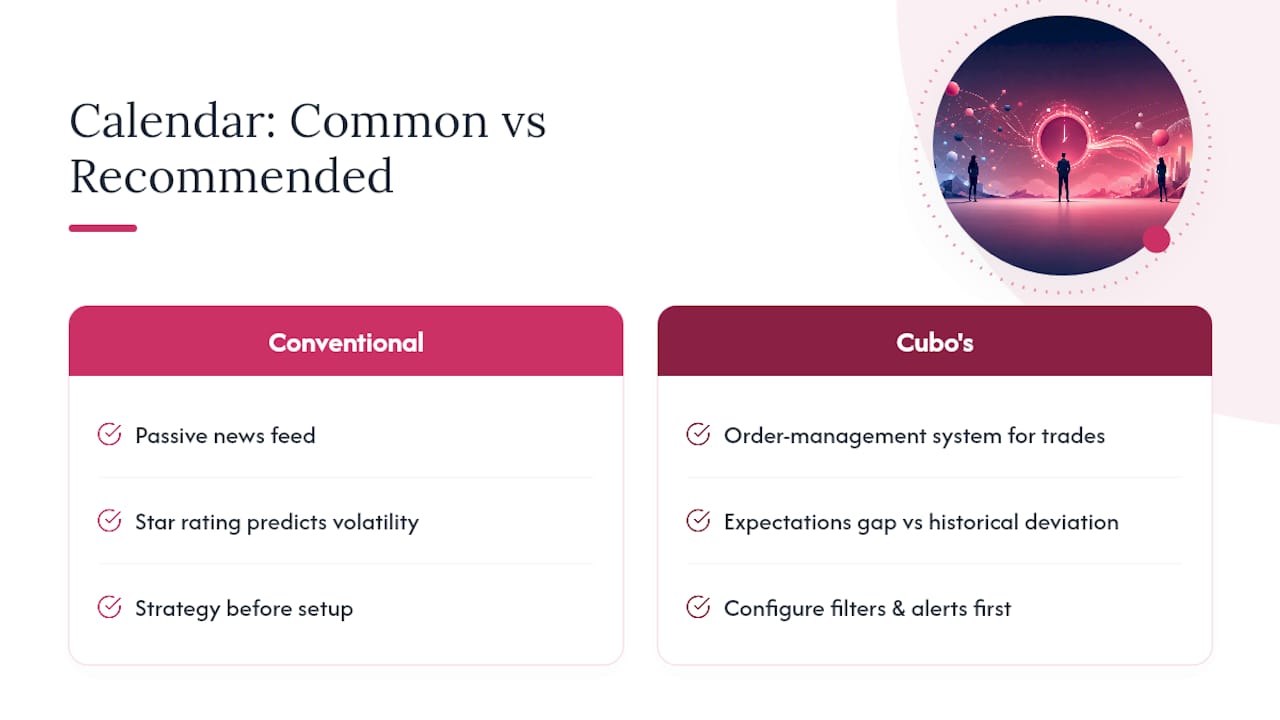
The overrated piece of conventional advice is the star rating itself. Treating a three star or five-star label as a reliable volatility forecast ignores how often clustered releases turn a “moderate” event into the biggest mover of the week. The number that actually deserves your attention is the expectations gap measured against historical deviation, not the icon next to the event name.
Prioritize configuration before strategy. A trader with a clean, filtered calendar and synced alerts but only one solid setup will outperform someone running three strategies against a cluttered, unfiltered feed. Get the workflow right first. The trade setups are the easy part once you’re actually seeing the right events at the right time.
— Cubo
Trade the News With a Platform Built for It
This guide’s setups depend on fast fills and tight spreads when a release moves the market in seconds, not minutes. Tight spreads matter most on Tier 1 days when a wide spread can eat your entire expected gain before the trade even develops.
You get access to Forex, indices, commodities, stocks, and crypto CFDs through MetaTrader 5 or WebTrader, with real-time analytics to check conditions before you commit size to a straddle or a post-release entry. If you’re still refining your event rules, test them on a demo account before risking capital, then move to a funded trading account once your setup holds up against live volatility. Instant deposits and withdrawals mean you’re never stuck waiting between a good trading week and actually accessing your funds. Open an account and set your calendar alerts before the next Tier 1 release hits.
This article is general information, not a substitute for advice from a qualified financial advisor. Consult a qualified financial professional about your own circumstances before acting on anything here.