Skip to content
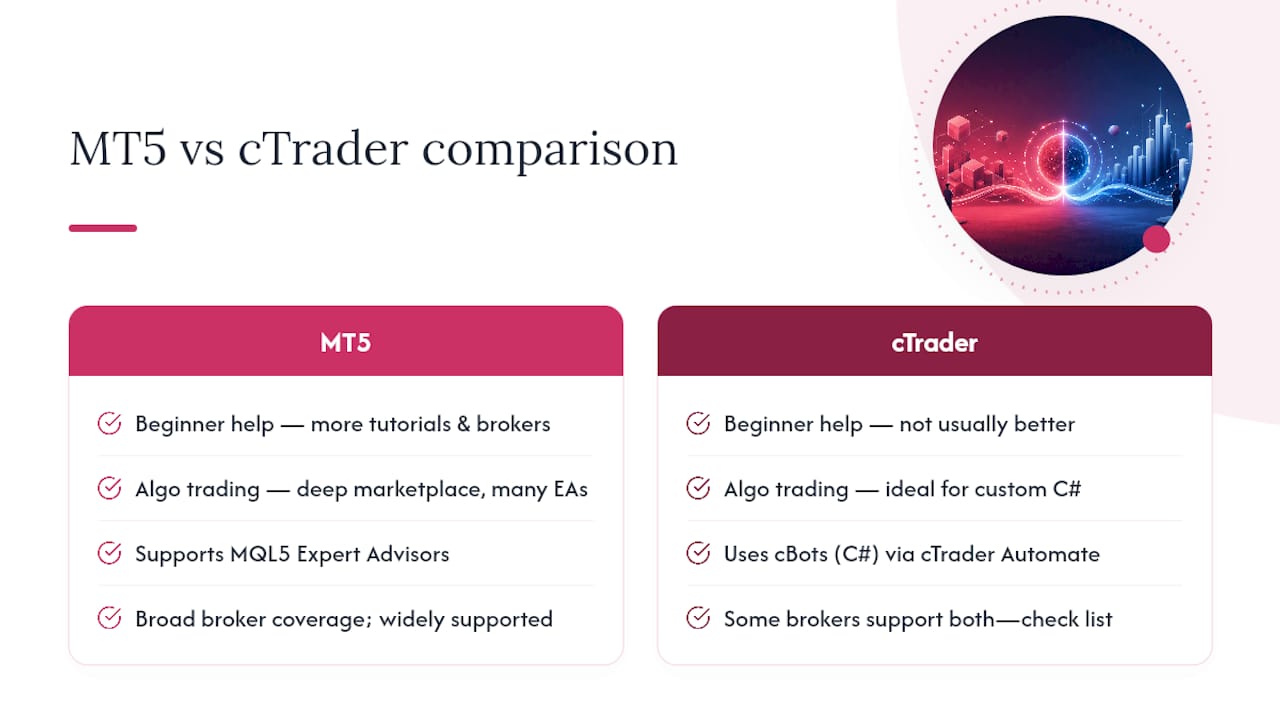
Choose MT5 if you want the widest broker choice, the deepest Expert Advisor marketplace, and multi-asset access beyond forex. Choose cTrader if you want cleaner execution transparency, native depth-of-market data, and C# for building automated strategies.
- Discretionary traders: cTrader’s charting and DOM give you more read on the market.
- Scalpers and order-flow traders: cTrader, for its transparent fills and Level II data.
- Algo/systematic traders: MT5, because MQL5’s marketplace dwarfs cTrader’s cBot library.
- Copy-traders: MT5, given broader broker adoption and mature copy tools.
- Beginners: MT5, simply because more brokers, more guides, and more support exist for it.
None of this matters if your broker’s execution model is bad. Spreads, order routing, and fill quality decide your real results more than which platform logo sits on your desktop.
Key Takeaways
Choosing between MT5 and cTrader matters less than choosing a broker whose execution model matches your strategy, since platform features stay stable while broker implementation varies widely.
| Point | Details |
|---|---|
| Pick by trader type | MT5 suits algo traders and beginners; cTrader suits scalpers and discretionary chart readers. |
| Language decides automation path | MQL5 offers the bigger marketplace; C# in cTrader Automate suits custom in-house development. |
| Execution transparency favors cTrader | Native depth-of-market and clearer fill reporting give cTrader an edge for order-flow traders. |
| Broker model outweighs platform choice | Spreads, execution type, and server location decide your real results more than the platform logo. |
| Test before funding | Cubomarkets offers MT5 with 0.0 pip spreads and zero commission for demo testing execution firsthand. |
Table of Contents
- MT5 or cTrader: A Side-by-Side Snapshot
- Where Did MT5 and cTrader Come From?
- How Do the Interfaces Compare Day to Day?
- Which Platform Has Better Charting Tools?
- How Do Order Execution and Order Types Differ?
- MQL5 vs C#: Which Automation Ecosystem Wins?
- Which Platform Backtests More Accurately?
- Do Mobile and Web Versions Hold Up?
- Does Broker Availability Change the Decision?
- Which Platform Suits Your Trading Style?
- How Was This Comparison Put Together?
- What Traders Actually Switch Platforms For
- Try MT5 Where Execution Actually Matches the Platform
- Where to Verify These Details Yourself
- Frequently Asked Questions
- Sources
MT5 or cTrader: A Side-by-Side Snapshot
Before going deep on any one feature, here’s how the two platforms stack up across the categories that actually affect your trading day.
| Category | MT5 | cTrader |
|---|---|---|
| Best for | Broad reach, algo traders, beginners | Discretionary and scalping traders |
| UI/customization | Familiar, template-driven | Detachable, modern workspace layouts |
| Charting & indicators | Large indicator library | Fewer built-ins, cleaner rendering |
| Order types & execution | Standard order types | Native DOM, granular order controls |
| Algo language & ecosystem | MQL5 (huge marketplace) | C# (cAlgo/cTrader Automate) |
| Backtesting & optimization | Multi-currency tester, genetic optimization | Fast tick-based tester, cloud optimization |
| Mobile & web | Strong parity across devices | Solid web app, slimmer mobile feature set |
| Broker coverage | Available almost everywhere | Narrower, ECN-focused broker list |
| Costs & commissions | Varies by broker, often spread-based | Often raw spread plus commission |
| Community & marketplace | Massive, decades of forums and EAs | Smaller but growing, quality-focused |
Each row below gets its own section, so skim the table first and jump to whatever decides your choice.
Where Did MT5 and cTrader Come From?
MetaTrader 5 launched in 2010 as MetaQuotes’ successor to MT4, built to expand beyond forex into stocks, futures, and broader multi-asset trading. cTrader arrived a year earlier, in 2009, from Spotware, designed specifically around ECN-style execution transparency for forex and CFDs.
- MT5’s goal: reach. One platform, every broker, every asset class, a marketplace deep enough to outsource strategy-building entirely.
- cTrader’s goal: trust. Show traders the actual order book, report fills honestly, and give algo developers a language professional shops already use.
How Do the Interfaces Compare Day to Day?
Open MT5 and you’re in familiar territory if you’ve used any version since MT4: docked windows, template-based charts, and a navigator panel that rewards muscle memory. It’s efficient once you know it, but the layout feels dated next to newer platforms.
cTrader leans into detachable panels and workspace presets built for multi-monitor setups. Dragging a chart to a second screen, saving a “London session” layout separate from your “New York session” layout, and switching between them takes seconds.
- Order tickets: cTrader’s one-click ticket shows spread, margin, and estimated slippage before you click; MT5’s ticket is functional but sparser.
- Chart rearranging: cTrader’s drag-and-drop workspace beats MT5’s more rigid template system.
- Quick-entry ergonomics: cTrader favors speed traders; MT5 favors traders who set up once and rarely touch layout again.
Pro Tip: Build two saved workspaces, one for high-volatility sessions with fewer charts and bigger order tickets, one for quiet hours with your full watchlist. Switching takes one click and saves you from fumbling during a fast market.
Which Platform Has Better Charting Tools?
MT5 ships with around 38 built-in indicators and a template system traders have refined for over a decade. cTrader’s native indicator count is smaller, but its charting engine renders faster and feels less cluttered at high zoom levels.
- Indicator variety: MT5 wins on raw count and decades of community-built custom indicators.
- Chart responsiveness: cTrader’s engine tends to feel smoother, especially across multiple open charts.
- Mobile chart parity: both platforms carry core drawing tools to mobile, though MT5’s mobile app supports more of its indicator library.
- Marketplace indicators: MQL5’s marketplace has far more paid indicators available, which matters if you rely on third-party tools rather than building your own.
For a discretionary trader who lives in the charts all day, cTrader’s cleaner rendering often matters more than MT5’s larger indicator count. For someone who wants to buy a specific proprietary indicator, MT5’s marketplace usually has it first.
How Do Order Execution and Order Types Differ?
This is where the platforms genuinely diverge. cTrader was built for forex and CFD transparency, with native depth-of-market visibility showing multiple price levels and available liquidity at each. MT5 supports standard order types well but doesn’t expose the order book with the same granularity by default.
- Depth-of-market: cTrader shows it natively; MT5 depends on broker-specific plugins.
- Partial close and trailing stops: both platforms handle these, but cTrader’s ticket makes partial closes and stop adjustments more visual and less error-prone under time pressure.
- Scalping scenario: entering against visible liquidity on cTrader’s DOM lets you judge slippage risk before the trade; on MT5 you’re trading somewhat blind to order flow.
Platform features are stable, but a broker’s execution model, whether ECN, STP, or market maker, changes what actually happens to your order once you hit send. The same order type on the same platform can fill very differently depending on who’s on the other side of it.
MQL5 vs C#: Which Automation Ecosystem Wins?
MT5 runs on MQL5, a proprietary language with the largest ready-made Expert Advisor marketplace in retail trading. cTrader Automate (formerly cAlgo) uses C#, giving developers access to mainstream tooling, Visual Studio, NuGet libraries, and a cleaner professional workflow.
- Buying and tweaking an EA on MT5: browse the marketplace, purchase a strategy, adjust input parameters through the EA’s settings panel. Little to no coding required.
- Building a cBot in cTrader: open Visual Studio, write C# using cTrader’s API, debug with standard developer tools, and deploy directly. This suits someone who already codes or wants to hire a developer familiar with a mainstream language.
The marketplace gap is real. ForexRobotEasy reports MT5 supports far more brokers and a much larger EA marketplace, while cTrader’s cBot library remains smaller but built by developers who prize code quality over volume.
- If you want to buy a strategy off the shelf: MT5’s marketplace has more options at more price points.
- If you’re building in-house and want maintainable code: C# in cTrader gives you cleaner architecture and easier debugging.
- Backtest scale matters here too: multi-symbol, multi-threaded testing becomes essential once you’re running portfolios of strategies rather than one EA at a time.
Which Platform Backtests More Accurately?
MT5’s Strategy Tester supports multi-currency, multi-threaded optimization with genetic algorithms for large parameter sweeps. cTrader’s tester runs tick-accurate simulations and integrates cloud optimization for faster runs.
- Data hygiene matters more than the platform: garbage tick data produces garbage backtest results regardless of which tester you use.
- Always reserve out-of-sample data. Testing your parameters against data the optimizer never saw catches curve-fitting before it costs you real money.
- Neither platform can fully replicate real slippage, partial fills, or news-driven spread widening. Treat every backtest as a hypothesis, not a guarantee.
Do Mobile and Web Versions Hold Up?
Both platforms carry most core functions to mobile and web, but neither matches the desktop experience exactly. MT5’s mobile app supports more of its indicator library; cTrader’s web platform mirrors its desktop layout closely, which shortens the learning curve if you switch between devices often.
- Missing features: advanced order types and some indicator sets get trimmed on mobile for both platforms.
- Push notifications and small-screen order tickets work well on both, though cTrader’s ticket layout translates to mobile slightly more cleanly.
Pro Tip: Before trading real size from your phone, place a few demo trades and check that the fill price, commission, and swap shown match what you’d expect on desktop. Mobile order tickets sometimes hide fee details that the desktop view shows plainly.
Does Broker Availability Change the Decision?
MT5 is the default platform at the overwhelming majority of retail brokers and prop firms, which is exactly why it remains the safer first choice for most traders. cTrader’s broker list is narrower and skews toward firms marketing ECN-style execution.
- Confirm the broker’s regulatory status in your jurisdiction before anything else.
- Check server location and typical latency to that server from where you trade.
- Ask whether you’re on a raw-spread-plus-commission account or a spread-only account, since that changes your real cost per trade.
- Review the broker’s execution reporting: can you see slippage stats, or just fills?
Broker cost comparisons, like the ones referencing Fusion Markets’ listing on TradingView, are useful for benchmarking what “competitive” actually looks like before you commit capital. Always test on a demo account first, on the exact broker you’re considering, not just the platform in isolation.
Which Platform Suits Your Trading Style?
- Scalper or order-flow trader: cTrader, for native DOM and execution transparency.
- Discretionary technical trader: cTrader for charting feel, though MT5 works fine if you’re already fluent in it.
- Systematic/EA trader: MT5, for marketplace depth and broker breadth.
- Developer building custom systems: cTrader Automate, for C# and mainstream tooling.
- Copy-trader: MT5, given wider adoption among copy-trading services.
- Beginner: MT5, for the sheer volume of tutorials, forums, and broker support.
The real decision usually isn’t platform-first, it’s broker-first. Pick a regulated broker whose execution model and pricing suit your strategy, then choose whichever platform that broker supports best. If your broker offers both, that’s when the platform differences above genuinely decide the outcome.
- Open demo accounts on both platforms with your chosen broker.
- Place identical order types on each and compare the ticket, fill confirmation, and reported slippage.
- Run your strategy’s backtest on both testers if you’re building an algo, and compare optimization speed and reporting depth.
How Was This Comparison Put Together?
This comparison draws on hands-on use of both platforms, review of official MetaTrader and Spotware documentation, sampling of the MQL5 and cTrader Automate marketplaces, and a check of broker coverage across major regulated brokers.
- Platform features tested directly rather than taken from marketing pages alone.
- Marketplace quality sampled, not just counted.
- Broker execution and pricing were not standardized. They vary by broker and will change your real results regardless of which platform you pick.
What Traders Actually Switch Platforms For
Traders rarely switch because of indicators or color schemes. They switch because a broker’s execution disappointed them, or because they finally need C# to build something MQL5 can’t handle cleanly. Hybrid stacks are more common than most guides admit: charting on one platform, execution routed through whichever the broker requires, stitched together with tools like MetaCopier when a trader wants to run a strategy across both environments at once.

The gotcha nobody warns you about: switching platforms mid-strategy resets your muscle memory for order entry at the worst possible moment, usually during a volatile session when you can least afford a fumbled fill.
Try MT5 Where Execution Actually Matches the Platform
Reading about DOM depth and execution transparency only tells you so much. The real test is placing an order and watching what happens to it, and that depends entirely on the broker behind the platform.

Cubomarkets runs MT5 with spreads starting at 0.0 pips and zero commission on standard accounts, so the execution quality you test on demo is the same model you’d trade live. As the broker here, Cubomarkets earns from spreads and swap, not hidden fees, and every quote you see reflects real-time market pricing rather than marked-up dealing desk rates. Open a demo account and run the same order-type tests covered above on forex, crypto, or commodities before committing real capital. If the fills match what you saw in this comparison, you’ll know MT5’s reputation for broad access holds up under an execution model built for speed.
Where to Verify These Details Yourself
- MetaTrader 5 and Spotware’s cTrader official docs for API and licensing specifics.
- MetaCopier for cross-platform trade-copying setup details.
Frequently Asked Questions
Is cTrader better than MT5 for beginners?
Not usually. MT5’s broader broker support and larger volume of tutorials make it easier for a beginner to find help when something goes wrong.
Which is better, MT5 or cTrader, for algorithmic trading?
MT5 wins on marketplace depth and MQL5 has far more brokers and ready-made EAs. cTrader wins if you’re building custom systems in C# and want mainstream developer tooling.
Does cTrader support Expert Advisors like MT5?
No. cTrader uses cBots built in C# through cTrader Automate rather than MQL5-based Expert Advisors, so existing MT5 EAs won’t run there directly.
Can I use both MT5 and cTrader with the same broker?
Some brokers, including Cubomarkets, support MT5 alongside other platforms. Check your specific broker’s platform list, since coverage varies significantly across the industry.
Why do some traders prefer cTrader’s execution over MT5’s?
cTrader’s native depth-of-market and per-trade execution reporting give traders more visibility into fills and slippage than MT5 typically exposes by default.
This article is general information, not a substitute for advice from a qualified financial advisor. Consult a qualified financial professional about your own circumstances before acting on anything here.
Sources
- Best Forex Trading Platforms 2026: MT5 vs cTrader vs TV
- MT5 vs cTrader for Algorithmic Trading 2026 — Forex Robot Easy
- MT5 vs. cTrader: The Ultimate Guide to Choosing the Best Forex Platform – ForexZine
- TradingView — Fusion Markets broker listing